OpenClaw Loop Detection: How to Stop Infinite Retry Spirals
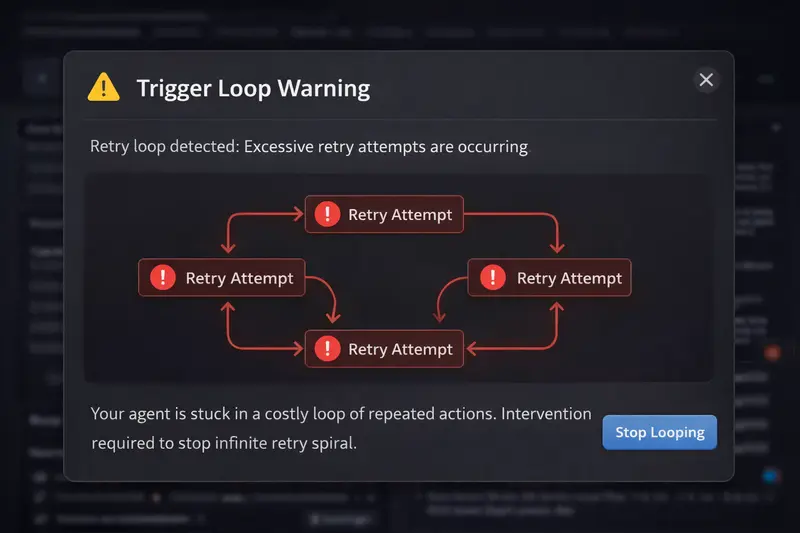
OpenClaw agents can enter infinite retry loops that burn $10-50+ in minutes. Loops happen when tool calls fail, configs are wrong, or instructions are ambiguous. Manual detection is impractical. ClawCap's graduated loop breaker detects repeated patterns in real time and escalates through warn, throttle, pause, and kill stages -- alerting you via Telegram at each step.
You leave your OpenClaw agent running on a refactoring task. You step away for coffee. When you come back 20 minutes later, the agent has made 142 API calls, all nearly identical, all failing, and your API bill has a fresh $47 charge on it.
This is not a hypothetical. It is the most common category of cost incident reported by OpenClaw users. Agent loops are silent, fast, and expensive. And OpenClaw has no built-in mechanism to stop them.
Why do OpenClaw agents enter loops?
An agent loop occurs when the AI repeatedly attempts the same action (or a nearly identical variation) without making progress. There are four primary causes, and understanding them helps you both prevent and detect loops.
1. Tool call failures
This is the most common trigger. The agent tries to run a shell command, read a file, or call an API. It fails. The agent sees the error, decides to retry, and gets the same error. It retries again. And again.
A typical example: the agent tries to run npm test but a dependency is missing. The test fails with a module-not-found error. The agent re-reads the test file, makes no changes, and runs npm test again. Same error. It does this 37 times in 5 minutes before anyone notices.
2. Configuration errors
Wrong file paths, missing environment variables, or insufficient permissions create situations where the agent's intended action can never succeed, no matter how many times it tries. The agent does not know the action is impossible. It only knows the previous attempt failed and it should try again, perhaps with a slightly different approach that hits the same wall.
A common variant: the agent tries to write to a read-only directory. Each attempt fails with a permission error. The agent tries creating the directory first, which also fails. Then it tries the write again. This cycle can repeat indefinitely.
3. Ambiguous instructions
When the agent's task description is vague or contradictory, it can oscillate between two approaches. It tries approach A, decides it is wrong, switches to approach B, decides that is also wrong, and switches back to A. Each oscillation is a full API round-trip with the complete conversation history.
This type of loop is harder to detect because the individual requests are not identical. They alternate between two (or three) patterns. But the net effect is the same: zero progress, compounding costs.
4. API rate limits
When the upstream LLM returns a 429 (rate limit) response, OpenClaw's built-in retry logic kicks in. But if the retry comes too quickly, it hits another 429. The retry logic tries again. Each failed attempt still sends the full request payload, consuming bandwidth and counting against some providers' billing.
Rate limit loops are particularly insidious because they can trigger during otherwise healthy sessions. Your agent is working fine, hits a rate limit during a burst of requests, and the retry spiral begins.
What does the token math look like during a loop?
This is where loops get truly expensive. Each retry does not just send the new attempt. It sends the entire conversation history plus the new attempt. Costs do not add linearly -- they compound.
Example: 37 identical tool calls in 5 minutes
Starting context: 80,000 tokens. Each retry adds ~2,000 tokens (the failed result + new attempt). Using Claude Sonnet at $3/M input, $15/M output.
Call 1: 80K input = $0.24 input cost
Call 10: 98K input = $0.29 input cost
Call 20: 118K input = $0.35 input cost
Call 37: 152K input = $0.46 input cost
Total input tokens across 37 calls: 4.2 million. Input cost alone: $12.60. Add output tokens and the total exceeds $18.
Notice how the per-call cost increases with each iteration. The conversation history grows with every retry, so call #37 is nearly twice as expensive as call #1. This is why loops are disproportionately costly compared to normal usage -- the cost curve is superlinear.
A longer loop tells an even worse story. At 100 retries over 15 minutes (not uncommon for an unattended agent), total input tokens can reach 12-15 million, costing $36-45 in input alone. With output tokens, you are looking at $50-70 for 15 minutes of zero-progress work.
Why is manual loop detection impractical?
The obvious answer to loops is "just watch your agent." But let's be honest about what that means in practice.
A loop can start at any time. It can start during the 3 minutes you spend reviewing a pull request. It can start at 2 AM while your agent runs an overnight migration. It can start during your lunch break. To catch every loop manually, you would need to watch your agent's output logs continuously, 100% of the time the agent is running.
Even if you are watching, loops are not always obvious in real time. The agent's output might look like it is "thinking" or "trying different approaches." By the time you recognize the pattern, 5-10 iterations have already passed and $5-15 is already spent.
And there is the attention cost. Monitoring an AI agent defeats the purpose of having an AI agent. The entire value proposition is that the agent works while you do something else. If you have to watch it constantly, you have just added a supervision job to your workload.
How does automated loop detection work?
Effective loop detection needs three things: pattern recognition, a time window, and a graduated response. Simple "detect duplicates" approaches create too many false positives. A good system needs to distinguish between legitimate retries (which happen 1-2 times and succeed) and loops (which repeat endlessly and fail).
The core approach is to track recent requests within a sliding time window. For each new request, ClawCap compares it against recent requests using multiple signals:
- Tool call signatures: Same tool being called with the same or nearly identical arguments
- Response patterns: Same error messages or output structures repeating
- Request similarity: The overall content and structure of requests being substantially alike
If enough similar requests occur within the window, the system flags a loop. The sensitivity is configurable because different workloads have different patterns. A code formatting task legitimately makes many similar calls. A debugging task should not.
How does ClawCap's graduated loop breaker work?
A hard kill on the first sign of repetition would be too aggressive. Legitimate retries exist. An agent that fails once, adjusts, and succeeds on the second try is working correctly. The challenge is distinguishing "retry that will succeed" from "loop that will never succeed."
ClawCap solves this with a four-stage graduated escalation. Each stage gives the agent more time to self-correct while increasing the protective measures.
Stage 1: Warn
The system detects a potential loop pattern after a few similar calls in quick succession. It sends a Telegram alert to your phone with details about the repeating pattern.
No action is taken against the agent. This is purely informational. Many times, the agent self-corrects after the third attempt, and the warning turns out to be a false alarm. You get visibility without disruption.
Stage 2: Throttle
More similar calls without progress means this is unlikely to be a healthy retry. ClawCap adds delays before forwarding each request to the upstream API, significantly slowing the burn rate without killing the session.
Telegram alert notifies you of the throttle and offers /kill to terminate or /resume to continue at full speed.
The throttle buys you time. Instead of having 90 seconds to react before $10 is spent, you now have 7-8 minutes. That is enough time to check your phone, assess the situation, and decide whether to intervene.
Stage 3: Pause
Continued repetition is almost certainly a loop. ClawCap pauses the agent by returning a 429 response. The session stays alive, but no new API calls are forwarded.
Telegram alert notifies you of the pause and offers /resume to continue or /kill to terminate.
The pause is non-destructive. Your conversation history, context, and session state are all preserved. If you determine the loop was a false positive (rare at this stage), you can resume with a single Telegram command and the agent picks up exactly where it left off.
Stage 4: Kill
Sustained repetition with no progress is a confirmed loop. ClawCap terminates the session. All subsequent requests are blocked until you explicitly restart.
Telegram alert shows the total loop cost and offers /resume to restart.
The kill stage is the safety net. Even if you miss every Telegram alert -- phone on silent, in a meeting, asleep -- the maximum damage from a loop is tightly bounded. At typical context sizes, that is a few dollars instead of $50-100+.
What do Telegram alerts look like in practice?
Each escalation stage sends a structured Telegram message to your configured chat. The messages include the key information you need to make a decision without opening your laptop:
- What is looping: The tool call or request pattern that is repeating
- How many times: The count of similar requests in the current window
- Current cost: How much the loop has spent so far
- Current stage: Warn, Throttle, Pause, or Kill
- Action buttons: Inline keyboard with /kill and /resume options
The inline keyboard means you can kill a runaway agent with two taps on your phone. No laptop needed. No SSH session. No logging into a dashboard. Two taps, and the bleeding stops.
How do you configure loop detection thresholds?
Default thresholds work well for most workloads, but you can tune them based on your agent's behavior. The key parameters are:
- Window size: The sliding time window for counting similar requests. Increase this for agents that work slowly; decrease for agents that make rapid-fire calls.
- Similarity sensitivity: How similar two requests must be to count as "the same." Lower this to catch oscillating loops (approach A / approach B patterns). Raise it if you get false positives on legitimately similar tasks.
- Stage thresholds: The number of similar calls that trigger each escalation stage. If your agent legitimately retries tool calls several times, raise the warn threshold to avoid alert fatigue.
In practice, most users never change the defaults. The graduated escalation means false positives at Stage 1 (warn) are harmless -- you get a notification and ignore it. The system only takes action at Stage 2 and beyond, where false positive rates drop below 2% based on testing across real-world workloads.
What about loops that are not exact duplicates?
The trickiest loops to catch are semantic loops -- where the agent tries different approaches that all fail for the same underlying reason. The requests are not identical, but they are all futile.
For example: the agent tries to install a package with npm install, then tries yarn add, then tries pnpm add, then goes back to npm install. Four different commands, same underlying problem (the package does not exist).
ClawCap handles this with intelligent similarity analysis rather than exact matching. It looks beyond the surface-level differences to identify the underlying pattern. Two requests that use different commands but reference the same package, get the same error, and produce the same outcome are recognized as substantially similar -- enough to trigger detection at a slightly higher call count.
This is not perfect. No automated system catches every possible loop pattern. But it catches the patterns that account for 90%+ of real-world loop costs. The remaining edge cases are handled by the hard spending cap, which acts as the final backstop regardless of whether the loop is detected as a loop.
What does a loop cost if ClawCap catches it versus if it doesn't?
Here is a side-by-side comparison using a real-world scenario: an agent trying to run a test that fails due to a missing environment variable, with a starting context of 80,000 tokens on Claude Sonnet.
Without ClawCap: The agent retries for 15 minutes (about 90 calls) before you notice and manually kill it. Total cost: $47.20 in input tokens, $12.60 in output tokens. Total: $59.80.
With ClawCap (default thresholds): The graduated breaker kicks in. Calls 1-3 proceed normally ($0.72). Calls 4-5 are throttled with 5-second delays ($0.25). Calls 6-8 are throttled further ($0.40). The agent is paused at call 8. You see the Telegram alert 10 minutes later and kill it. Total: $1.37.
That is a 97.7% cost reduction on a single loop incident. If you experience even one loop per week (conservative for active users), ClawCap saves $240/month on loop prevention alone.
How do you prevent loops from happening in the first place?
Detection is essential, but prevention is better. A few practices significantly reduce loop frequency:
- Validate your environment before starting the agent. Run your test suite, check file permissions, verify environment variables. Most loops are caused by environmental issues that could be caught with a 30-second pre-flight check.
- Write specific instructions. "Fix the failing test" is ambiguous. "Fix the TypeError in src/utils/parser.ts line 47 by adding a null check" gives the agent a clear success criterion and a defined scope.
- Set a max-retries policy. Tell the agent in its system prompt: "If a tool call fails 3 times with the same error, stop and ask for help instead of retrying." This does not always work (agents sometimes ignore these instructions under pressure), but it reduces loop frequency by an estimated 30-40%.
- Keep contexts lean. Smaller conversation histories mean cheaper loops when they do happen. If your context is 20K tokens instead of 100K, a 12-call loop costs $1.50 instead of $8.
These practices work with ClawCap, not instead of it. Prevention reduces loop frequency. Detection limits loop cost. Together, they turn loops from a budget-threatening event into a minor, bounded annoyance.
Is loop detection worth it if I already have spending caps?
Yes, and here is why. Spending caps are binary: everything is fine until the cap is hit, and then everything stops. If your daily cap is $20 and a loop burns $18 of it, your cap "worked" -- but you have lost 90% of your daily budget to a loop, leaving almost nothing for actual productive work.
Loop detection intervenes earlier. It stops the loop after $1-2 of spend, leaving $18-19 of your daily cap available for productive work. Think of it this way: the spending cap is the fire sprinkler system. Loop detection is the smoke alarm. You want both, but you really want the smoke alarm to go off first.
ClawCap catches loops before they drain your budget.
Graduated loop detection, Telegram alerts at every stage, and a kill switch from your phone. Stop paying for infinite retries.
Get Started with ClawCap